On a dark charcoal textured background, a white two-tier computer
server forms the base of a branching digital network. A stylized
white mobility cane rises from the centre, representing blindness,
independent travel, and access for people who are blind or have
low vision.
White and orange connection lines branch outward from the server.
They connect to a website hierarchy diagram, abstract digital nodes
and interface symbols, and an orange wheelchair accessibility
symbol. Together, the connected elements represent digital systems
engineered to include people with different disabilities.
Beneath the illustration, large white uppercase text reads
“Blindspot Digital.” Smaller orange uppercase text reads
“Engineering Inclusion.” A red tagline underneath reads,
“We make sure your business isn’t blindsided.”
Blindspot Digital software
Software that puts clubs in control.
Accessible tools should outlast the person who built the website. ARC CMS helps amateur radio clubs manage their online presence without depending on a single technical volunteer.
Version 1.0.0
ARC CMS
Amateur Radio Club Content Management System
ARC CMS is a purpose-built, self-hosted website management system for amateur radio clubs. Authorized club officers can manage pages, events, repeater information and routine website updates through a browser-based administration panel.
Built around accessibility, continuity and club independence, ARC CMS combines a responsive public website, a browser-based installer, SQLite storage and multi-factor authentication for administrators.
Explore a working club website powered by ARC CMS at pcarc.mytunnel.ca. This live preview for the Pictou County Amateur Radio Club illustrates how ARC CMS can support a club website. Its content and configuration may differ from a new installation.
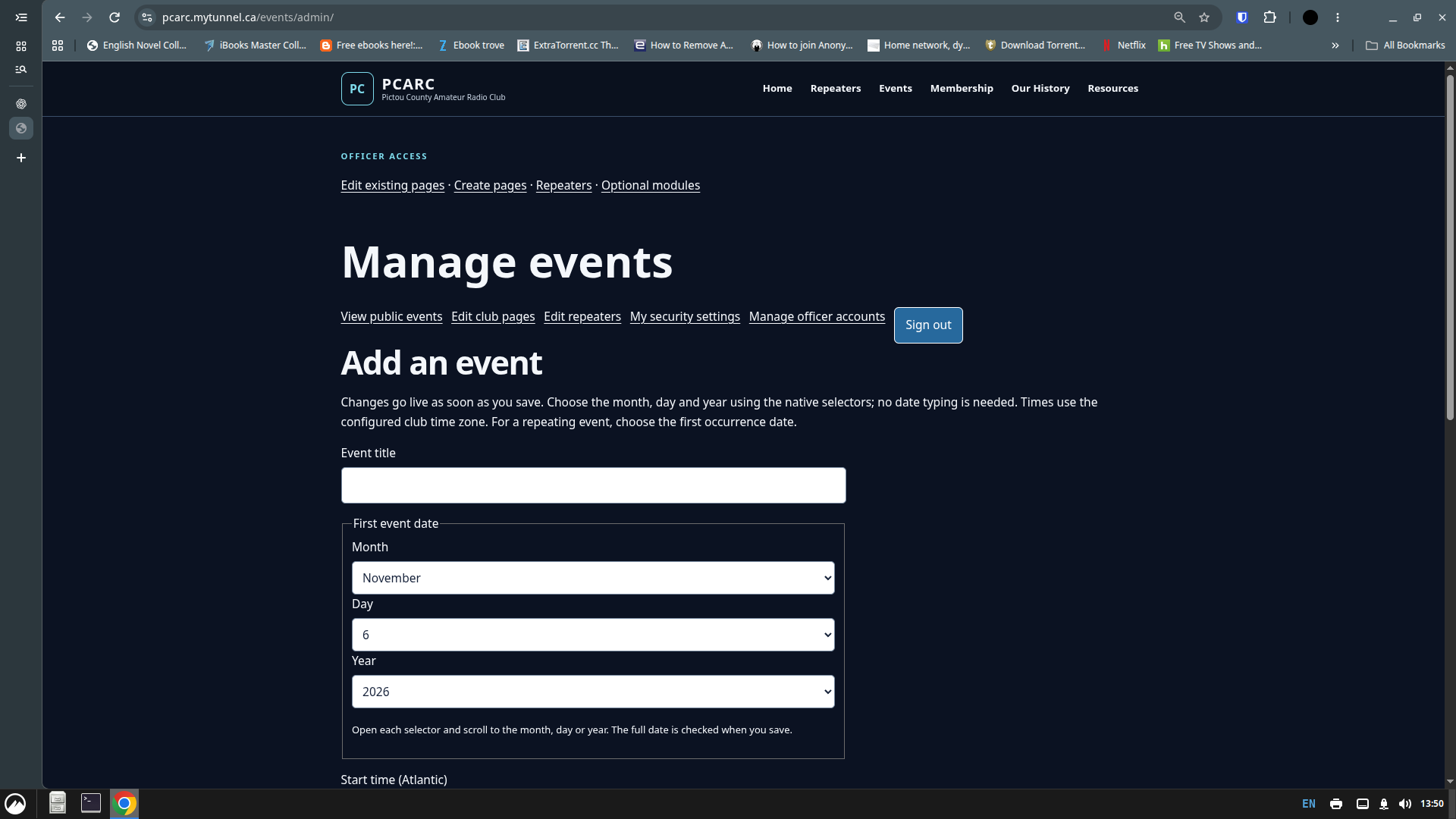
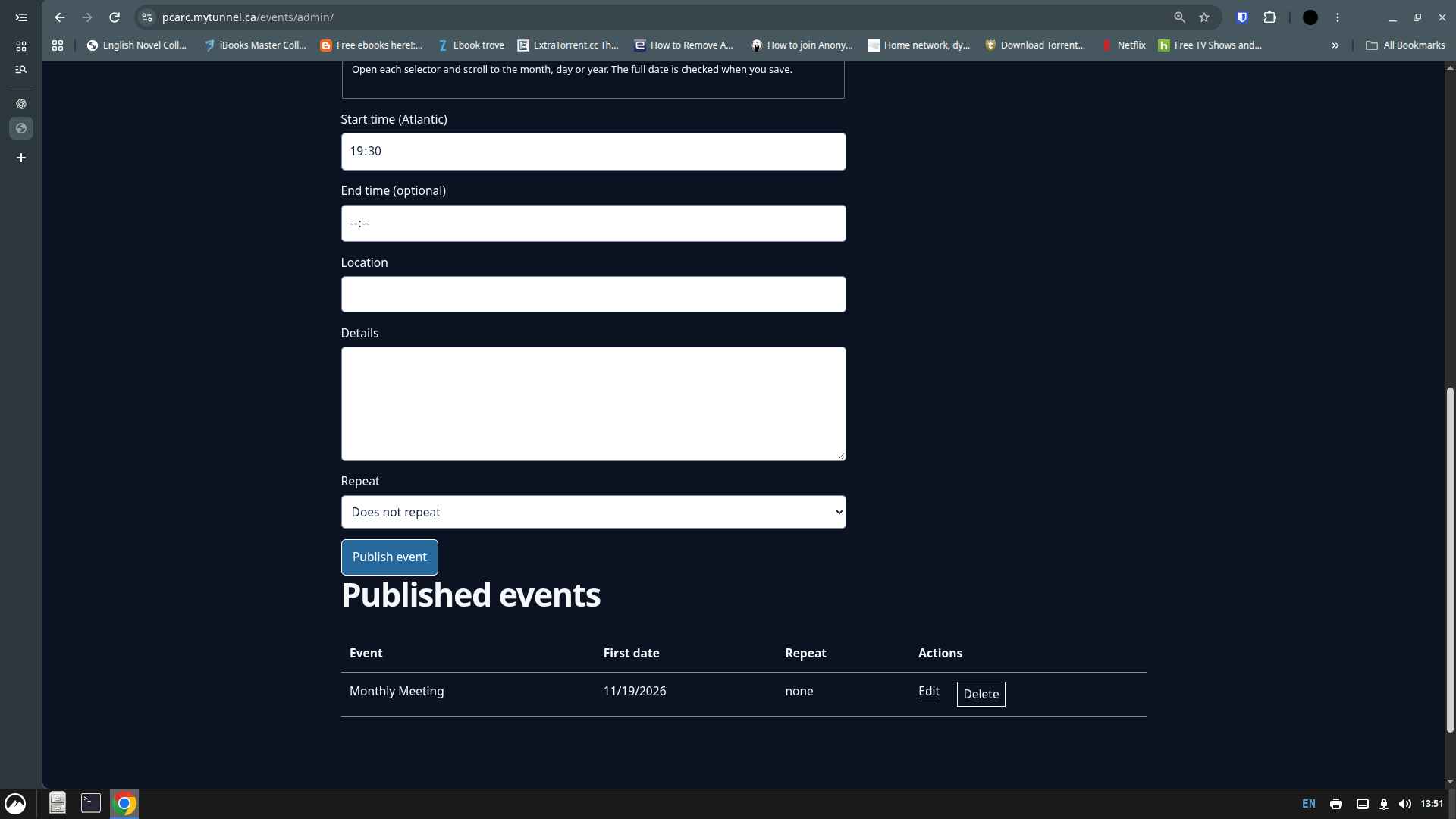
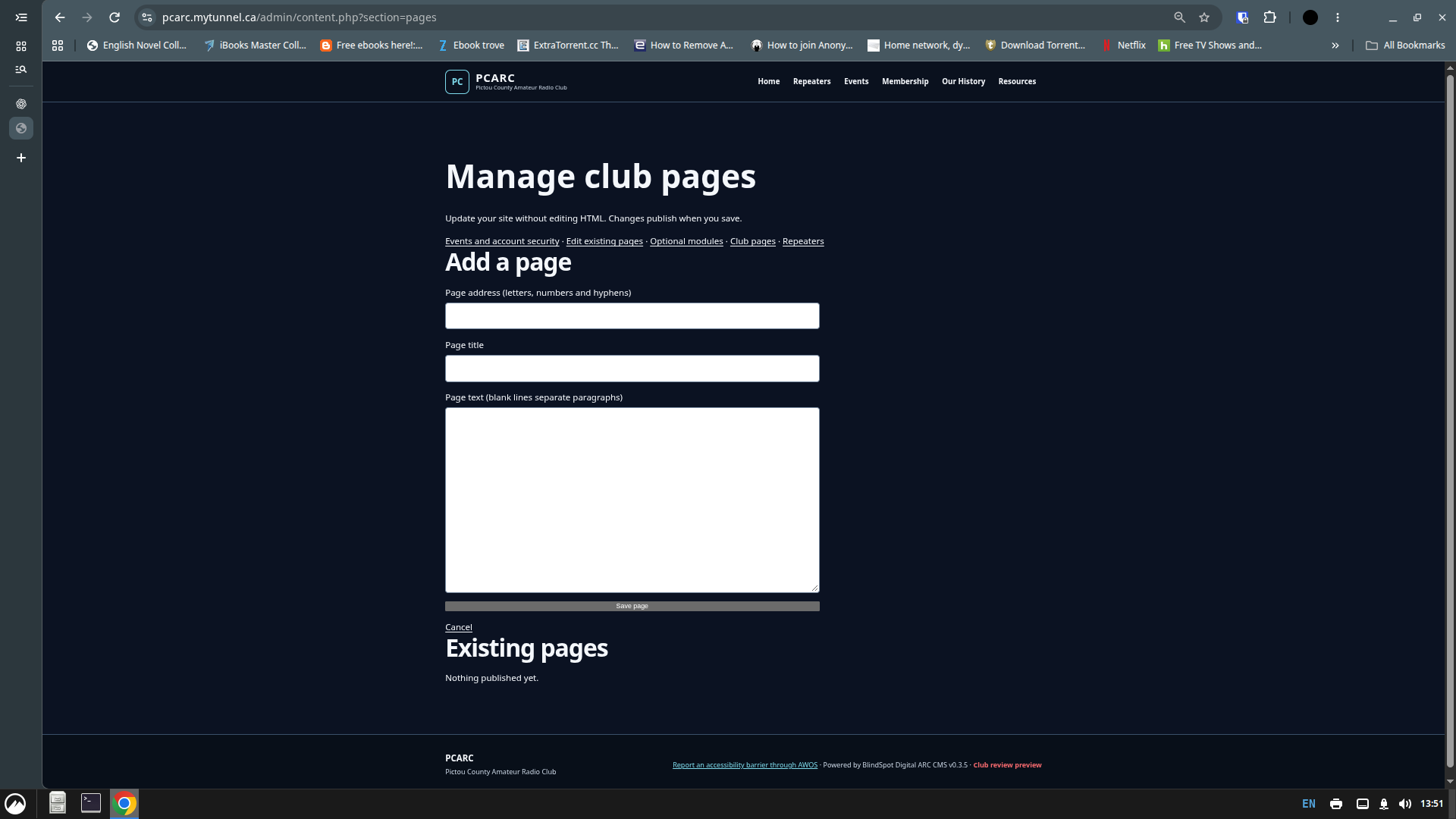
The public preview shows the visitor-facing website. For security, the administrative interface is not open to public sign-ins. The screenshots below show what authorized club administrators see when managing club content.
Inside the ARC CMS admin panel
These are real screenshots from the working ARC CMS interface. Select any image to open the original, full-resolution screenshot in a new tab.
Accessibility is an engineering requirement from the outset, not an afterthought or a plugin. We design for keyboard and screen-reader interaction, clear labels, visible focus and responsive layouts. Accessibility is an ongoing engineering commitment.
Continuity
Clubs should not lose their ability to maintain a website because the member who built it moves away, changes clubs, or steps down. The system is designed to make routine maintenance transferable.
Independence
Most importantly, club administrators should be able to manage their own pages, events, and information without needing a developer for everyday updates.
Licensing and pricing
Both licensing categories provide the same ARC CMS functionality. Eligibility is based on the club's country of registration, not its hosting location, IP address, domain suffix or VPN use.
Canadian amateur radio clubs
Complimentary licence — $0 CAD
Available to registered Canadian amateur radio clubs. No mandatory recurring software licensing fees.
International amateur radio clubs
$149 CAD — one-time licence fee
Available to registered clubs outside Canada. No mandatory recurring software licensing fees.
Your website, your content
One licensed public production installation at the registered domain. Clubs retain their own content and may keep private backups and test copies under the licence terms.
ARC CMS is proprietary software maintained by Blindspot Digital. Routine content and branding changes are permitted; changes to the underlying CMS source require permission, subject to applicable law and third-party licence terms. The complete software use licence accompanies the distribution.
Initial online activation and periodic validation through SLAM are required. Version 1.0.0 provides a 30-day grace period following the last successful validation during temporary service failures. After grace expiry or verified suspension or revocation, administrative content changes may be restricted; the public website, licence recovery and data export remain available.
Optional support and future upgrades may be arranged separately. Hosting and domain registration are not included.
ARC CMS is installed on hosting chosen and controlled by your club. Blindspot Digital does not provide hosting. Self-hosting and compatible shared hosting are both options; you do not need a dedicated server just to run a club website.
A compatible PHP 8 environment with the required PHP extensions, including PDO SQLite, Sodium and cURL. Check the bundled installation guide for the exact supported PHP version and complete requirements.
HTTPS for the public website and administrative interface.
Verified outbound HTTPS access to the SLAM licensing service for activation and periodic licence validation.
PHP-writable private storage outside the public document root, inaccessible to web visitors.
Access to upload and extract ZIP files, configure file permissions and maintain backups.
A time-based one-time password (TOTP) authenticator for administrator multi-factor authentication.
ARC CMS uses SQLite, so a separate MySQL or MariaDB database is not required. Confirm that your hosting provider supports the required PHP extensions, private storage and outbound HTTPS before installing.
ARC CMS 1.0.0
Download and install ARC CMS
The distribution is a ZIP archive. A SLAM-issued ARC CMS licence is required to complete installation, regardless of whether your club qualifies for complimentary or paid licensing.
The SHA-256 checksum allows you to verify the downloaded archive. On Linux, place the ZIP and checksum file in the same directory and run:
sha256sum -c ARC-CMS-1.0.0.zip.sha256
Getting started
Request a licence. Use our secure contact form to provide your club's registered name, callsign, country of registration and intended public hostname.
Prepare hosting. Confirm the requirements above, enable HTTPS, and extract the archive into the intended website directory according to the bundled installation guide. Root-directory and subdirectory installations are supported.
Set the installation hostname. Following the installation guide, create install-domain.txt in the installation's private directory outside the public document root. It must contain only the authorized hostname, without a scheme, port or path. Do not place this file in a public website directory.
Open the installer. Visit the /install/ path beneath your site's chosen base URL. Enter your SLAM-issued ARC CMS licence and the matching club identity. No separate installation authorization token is required.
Configure the website and administrator account. Follow the browser-based wizard. Set up administrator MFA by scanning the QR code or copying the manual setup key into a TOTP authenticator, then verify its code.
Save recovery codes and finish. Keep the MFA recovery codes somewhere secure and private. The installer closes after successful setup. Sign in to the administration panel and begin managing your club's website.
Keep the installation's private directory and backups secure. Contact Blindspot Digital before transferring a licence to a different registered domain or installation binding.
Interested in ARC CMS for your club?
Request your licence, discuss hosting compatibility or ask about optional support through our secure contact form. Choose General consultation and mention ARC CMS.